
Product finds. Clear steps. Delivery notes.
A CNshopper Spreadsheet for the whole order.
Browse a find, check it at the warehouse and choose how it reaches you. Start with the buying guide, then use the delivery notes if a parcel needs extra attention.
Catalogue shelves, smallest box to largest
 JewelleryCatalogue shelf
 T-shirtsCatalogue shelf
 SweatpantsCatalogue shelf
 JeansCatalogue shelf
 WomenswearSearch results
 OuterwearCatalogue shelf
 SneakersCompare the size chart and sole measurements.
 HoodiesCompare chest width, length and hood details.
 Sports jerseysConfirm team, season, size and any personalisation.
 BagsCheck dimensions, straps and included pieces.
 HatsCompare head circumference and adjustment.
 BeltsCheck usable length and buckle dimensions.
 EyewearConfirm frame width, lenses and included case.
 PerfumeConfirm liquid acceptance before paying.
 WatchesCheck case size, movement and battery restrictions.
 ElectronicsConfirm model, voltage, battery and route acceptance.
Each tile opens the matching catalogue category; womenswear is a keyword search. All sixteen have illustrated entries here, with detailed buying guidance on the Spreadsheet page.
What the spreadsheet helps you do
A spreadsheet is a browsable set of product finds, organised into shelves. Use the photos to choose a category, then open the live product listing for the seller, variants and current price. A catalogue entry is not a stock reservation or a quality guarantee.
This independent guide does not sell the products or process CNshopper orders. Its job is to make the next step clear: assess a listing, understand the agent’s role, and know what records to keep along the way.
Why use a shopping agent?
CNshopper can buy from supported Chinese sellers, receive domestic parcels at its warehouse and arrange international forwarding. That is useful when you need help with local purchasing, a warehouse photo check or combining several items into a parcel.
You remain responsible for choosing the product and reviewing its options. QC is a visual check; it cannot certify authenticity, test durability or promise fit. Compare the delivered cost and services with direct shipping or another agent before committing.
Two payments, two decisions
The product and domestic costs come first. International freight, selected packing and any optional cover come later. Public service-fee descriptions differ, so check the actual order summary instead of assuming a zero-fee order. Payment conversion, taxes and restrictions also affect the final cost.
A first order, with the screens beside it
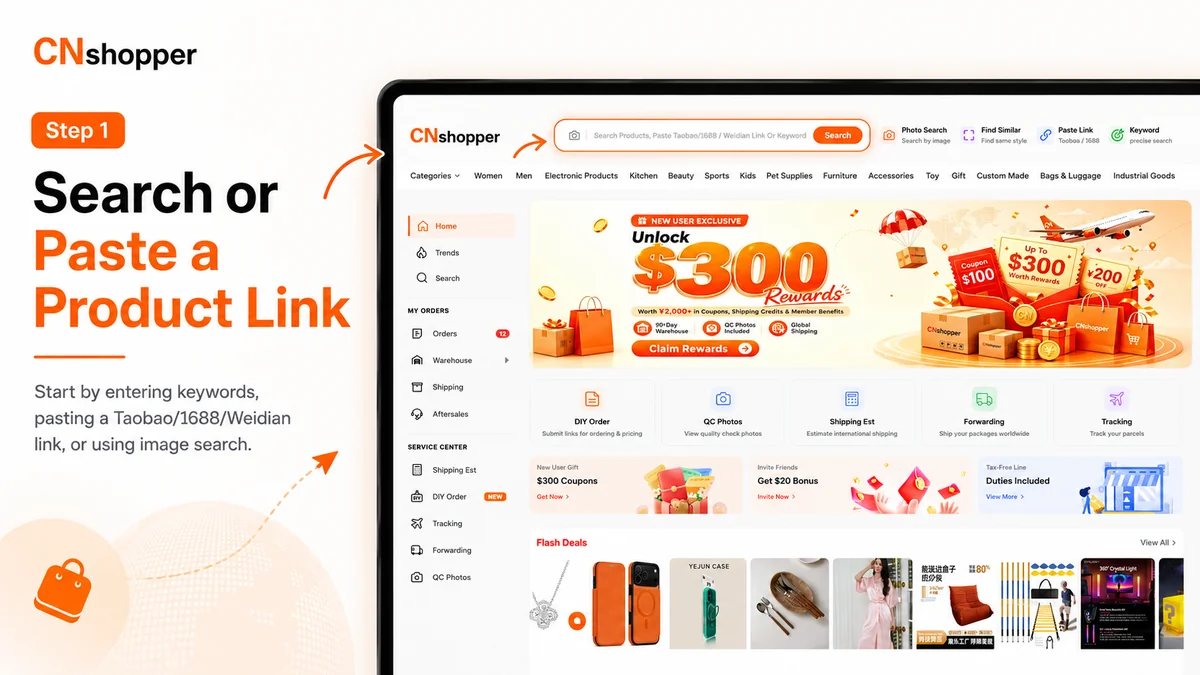
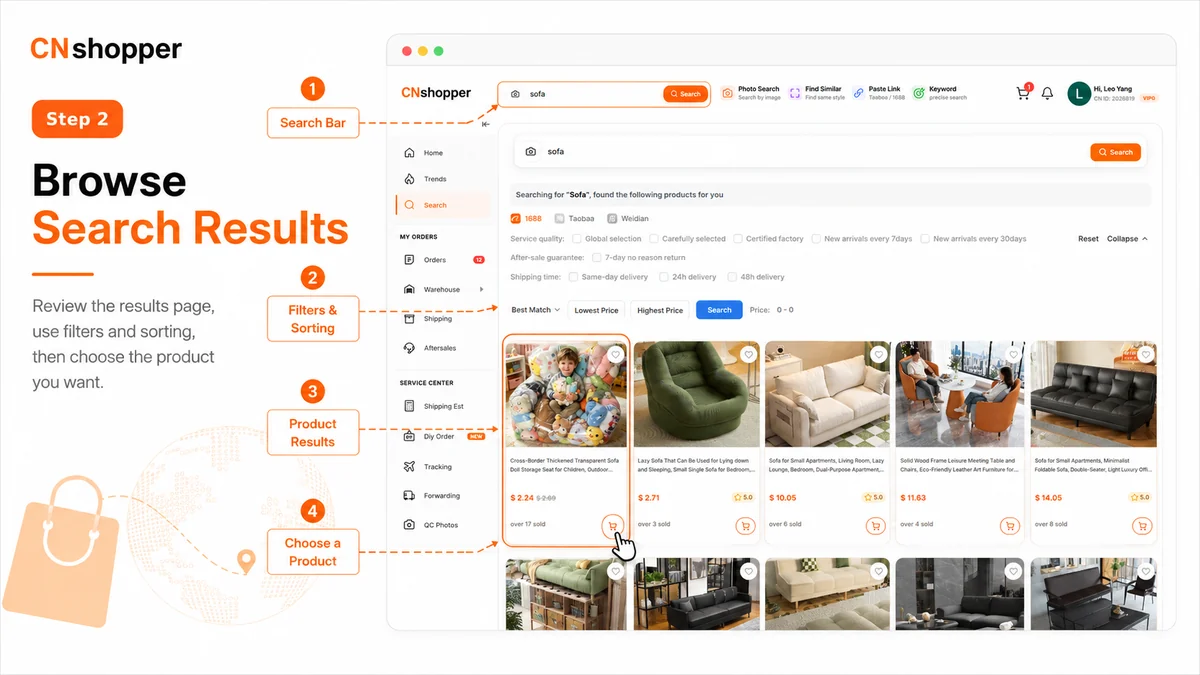
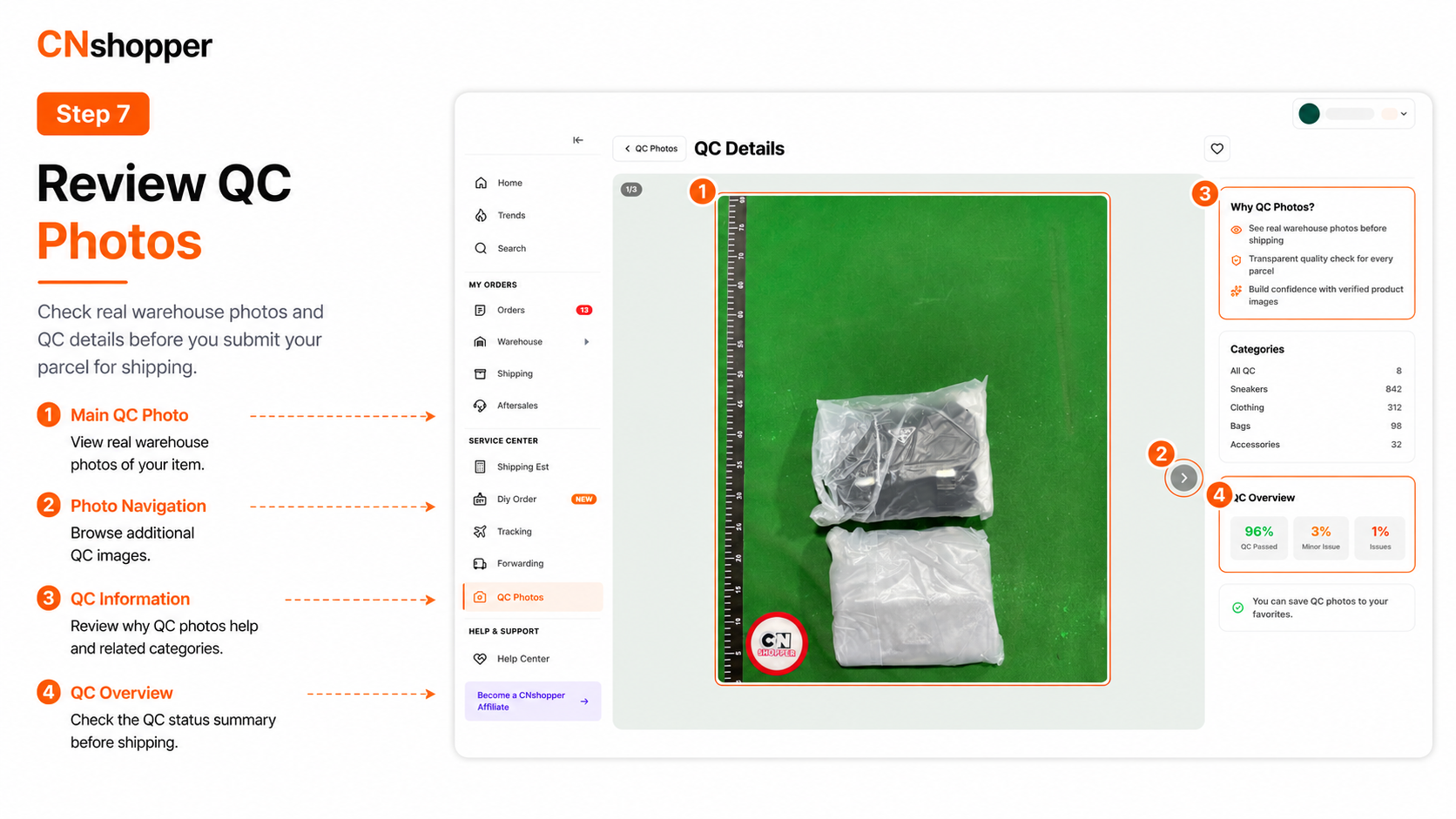
The twelve-step guide follows CNshopper’s published order: search, select options, confirm and pay, review warehouse QC, choose packing and a line, pay freight, then track the parcel.
It also explains what to check at each decision. Keep the original listing, chosen size, payment record and QC images so a support request can point to a specific difference.
Plan the delivery. Know where to ask for help.
Use the porch profile before dispatch to think about where the carrier can leave a parcel and what evidence you could obtain. It is a planning tool, not a decision on cover or compensation. Optional Package Protection depends on the checkout offer and its actual terms.
Before shipping
Check your address, tracking and any cover offered for the parcel.
Prepare a delivery profileA delivery problem
A missing item, a wrong-address delivery and a stolen parcel need different records.
Find the relevant help pageNo optional protection
Start with the agent, carrier and payment records. A claim is assessed under the terms that apply.
Options without protectionDelivered but missing · Carrier and reporting contacts · Policy notes